欢迎光临好主题官网!致力于 WordPress 企业主题定制开发及 WP外贸模板下载。

在开发 WordPress 企业主题时,经常会遇到这样的需求:在 Elementor Loop Item 中展示产品、案例或解决方案列表,点击播放按钮或整个卡片后,弹出一个窗口播放对应的 YouTube 视频。
很多人会选择使用 Elementor Popup,但对于 Loop Item 来说,配置相对繁琐,而且后期维护成本较高。
本文分享一套我在开发主题时使用的方案,仅依赖 Elementor + ACF + JavaScript,无需开发自定义 Widget,也无需使用 Elementor Popup。
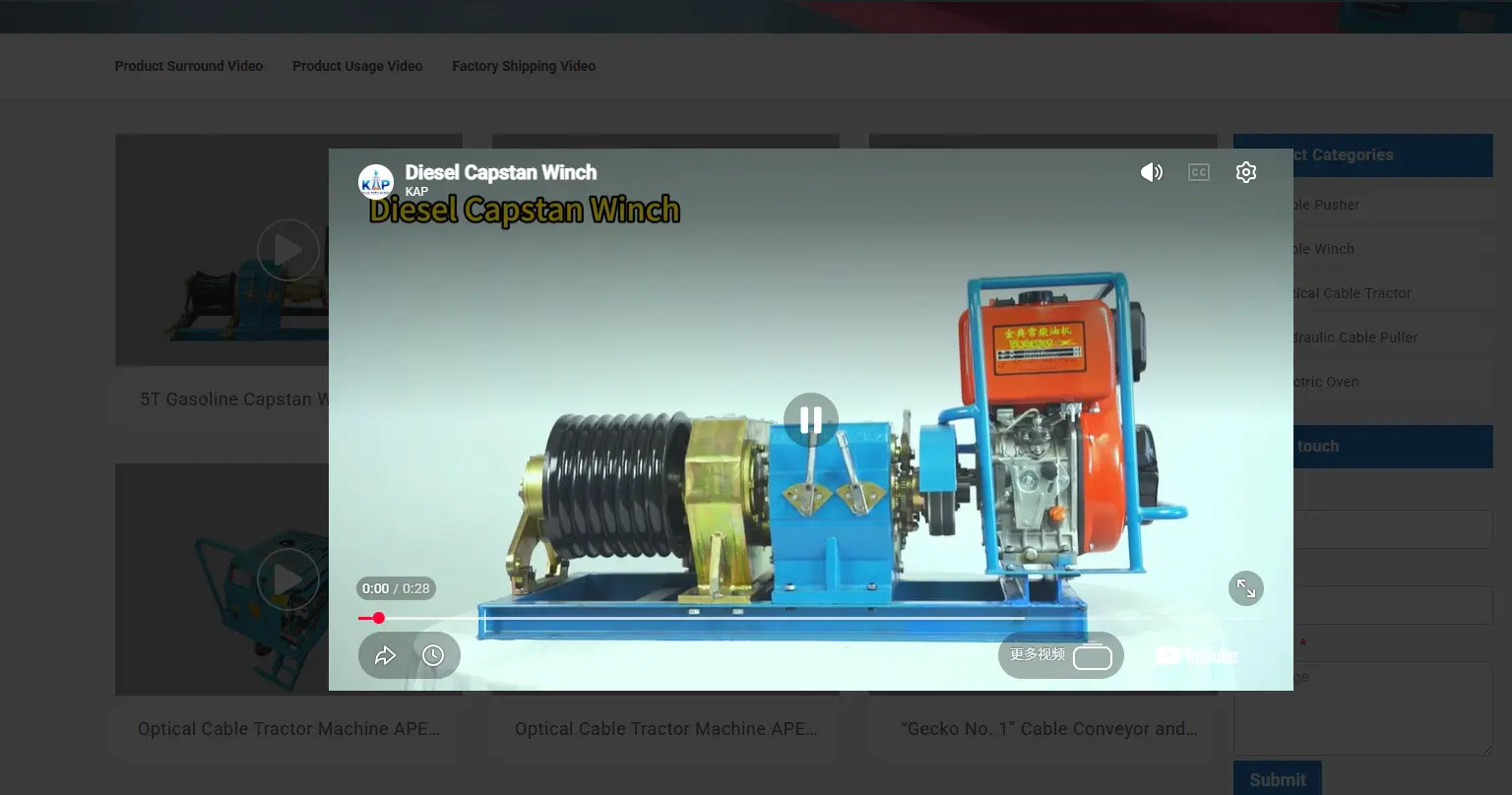
例如一个视频列表:
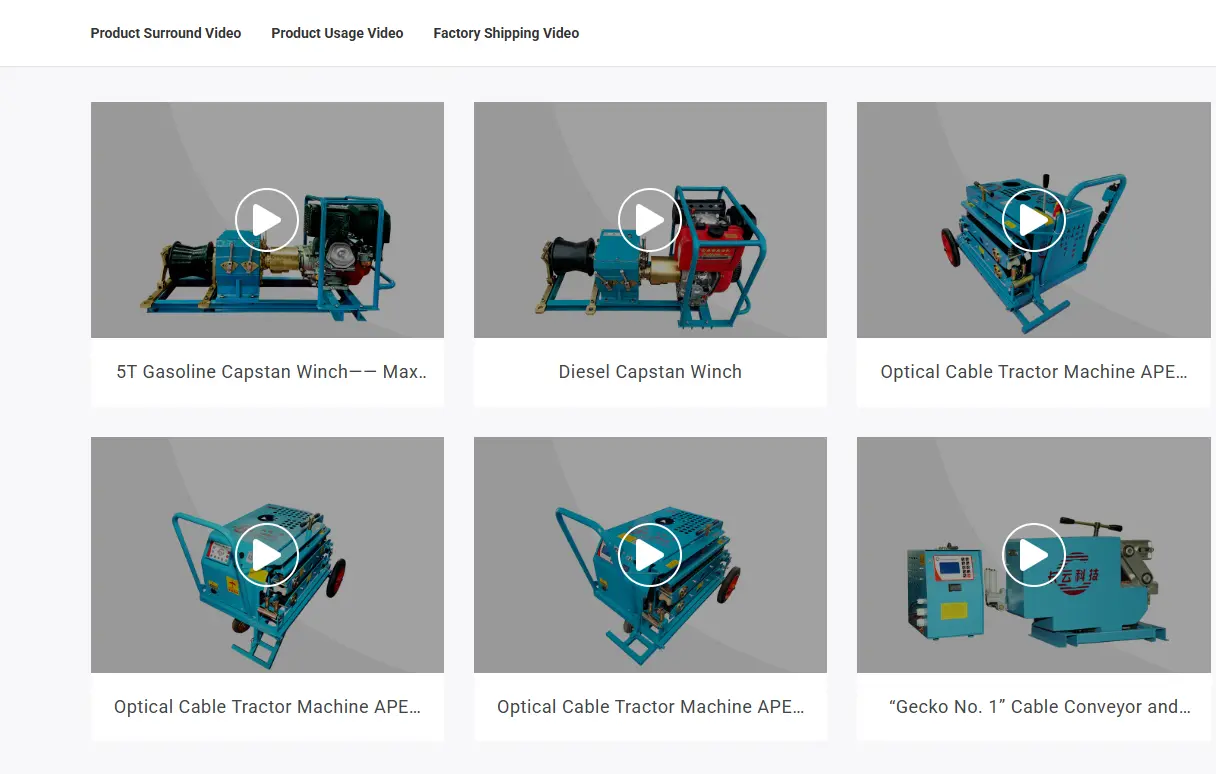
点击:
弹出一个 Modal,并自动播放当前产品对应的 YouTube 视频。
整个页面只存在一个视频弹窗。
最理想的方式应该是:
<div class="hzt-video-container"
     data-video="https://youtu.be/xxxx">
</div>
JavaScript 直接读取:
container.dataset.video;
即可。
但目前 Elementor 传统 Container 的 Custom Attributes 不能直接绑定 ACF 动态字段,因此无法直接输出 data-video。
所以采用另一种更加兼容 Elementor 的方案。
整个方案非常简单。
video_url 字段。video_url。div。display:none,仅作为数据中转。新增一个字段:
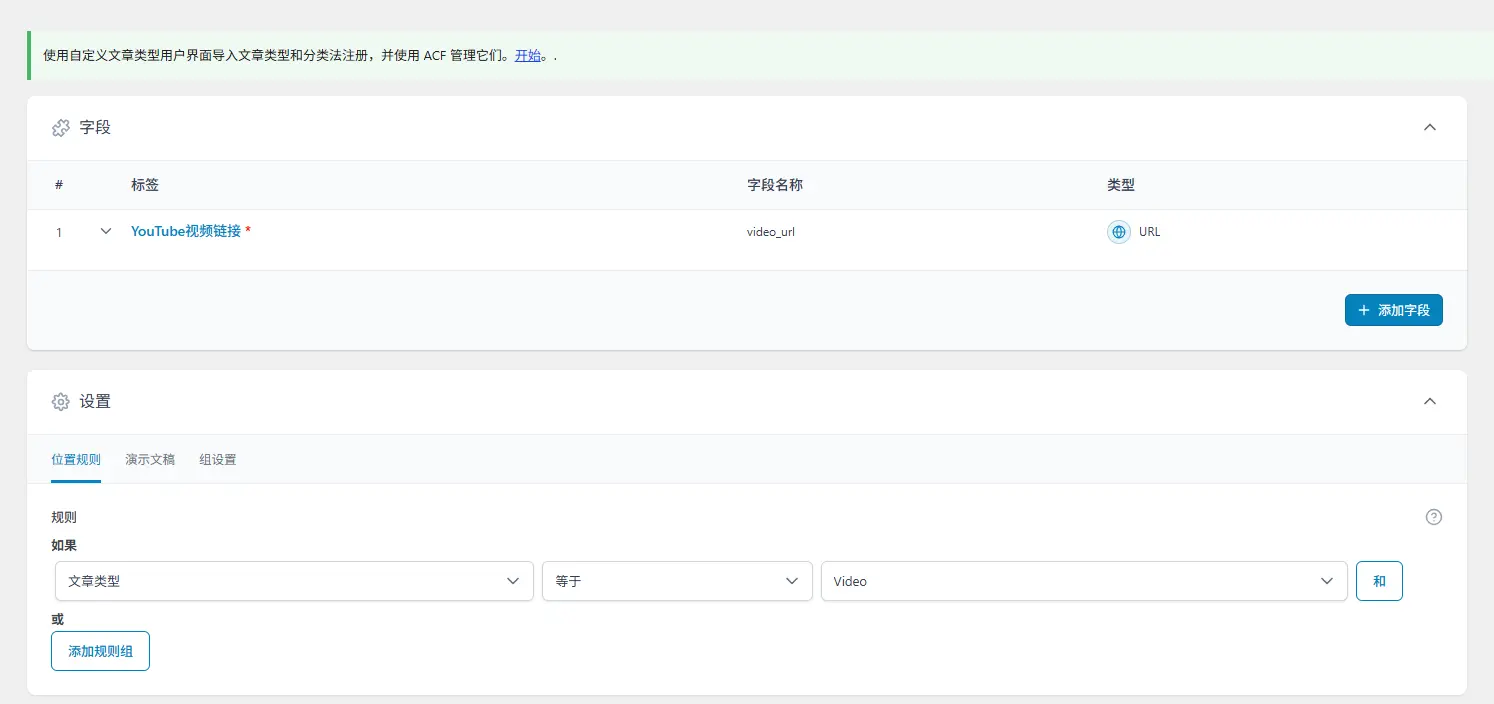

| 字段 | 类型 |
|---|---|
| video_url | URL |
填写:
https://youtu.be/xxxxxxxx
或者:
https://www.youtube.com/watch?v=xxxxxxxx
Container 添加类:
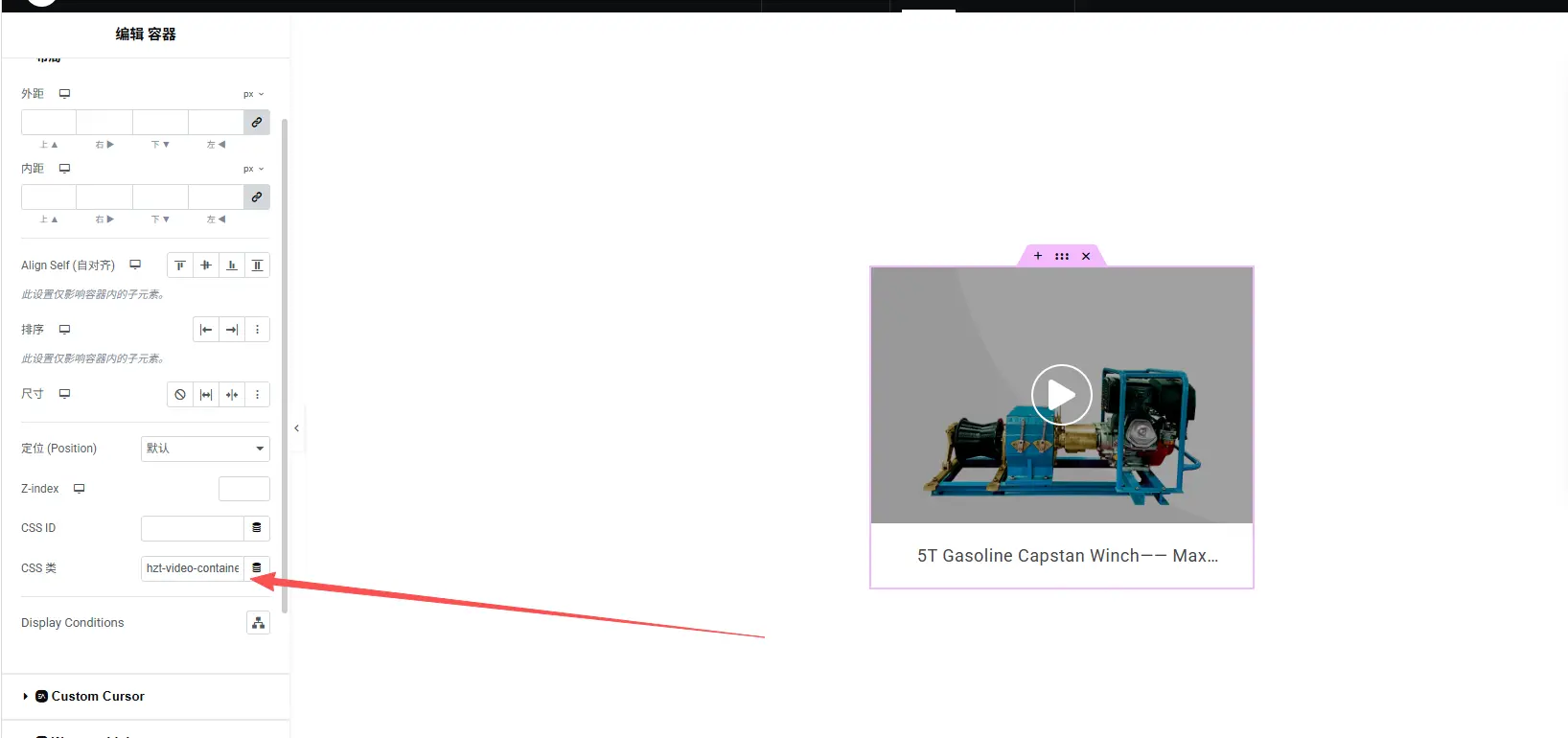
hzt-video-container
如果点击整个容器播放,再添加:
hzt-video-trigger
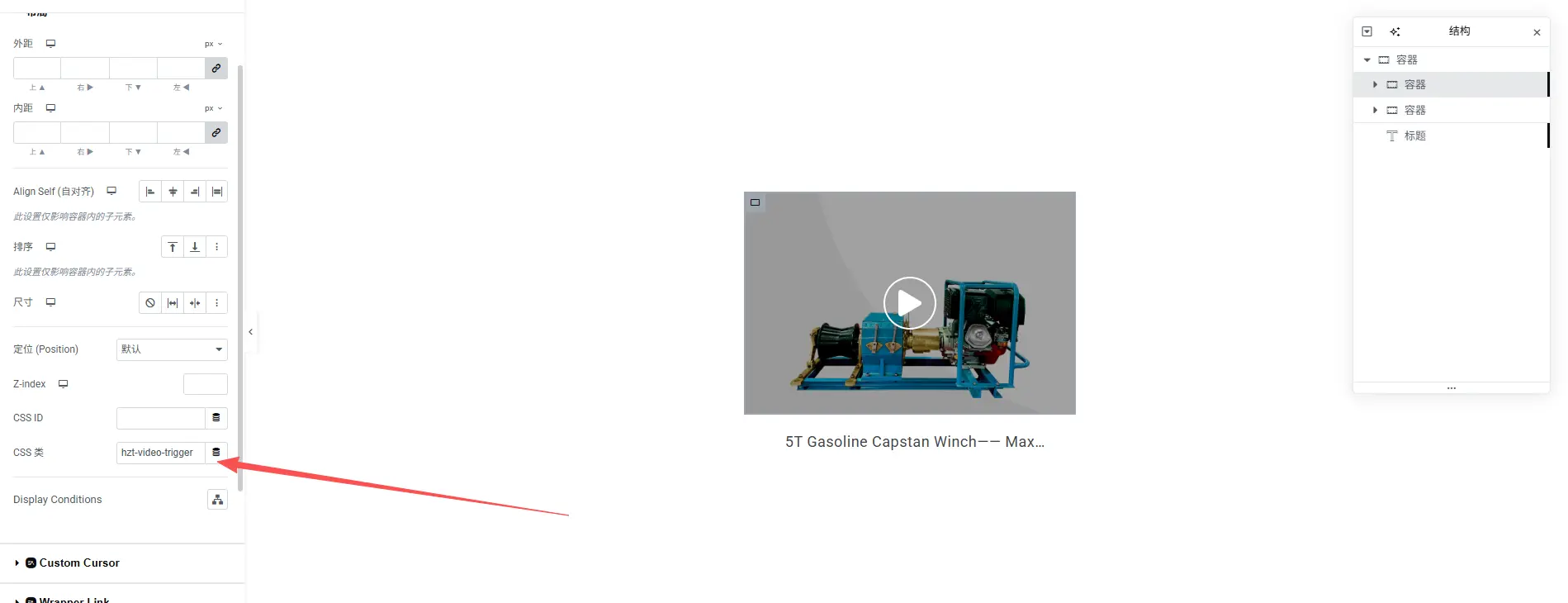
如果点击按钮播放,则给按钮添加:
hzt-video-trigger
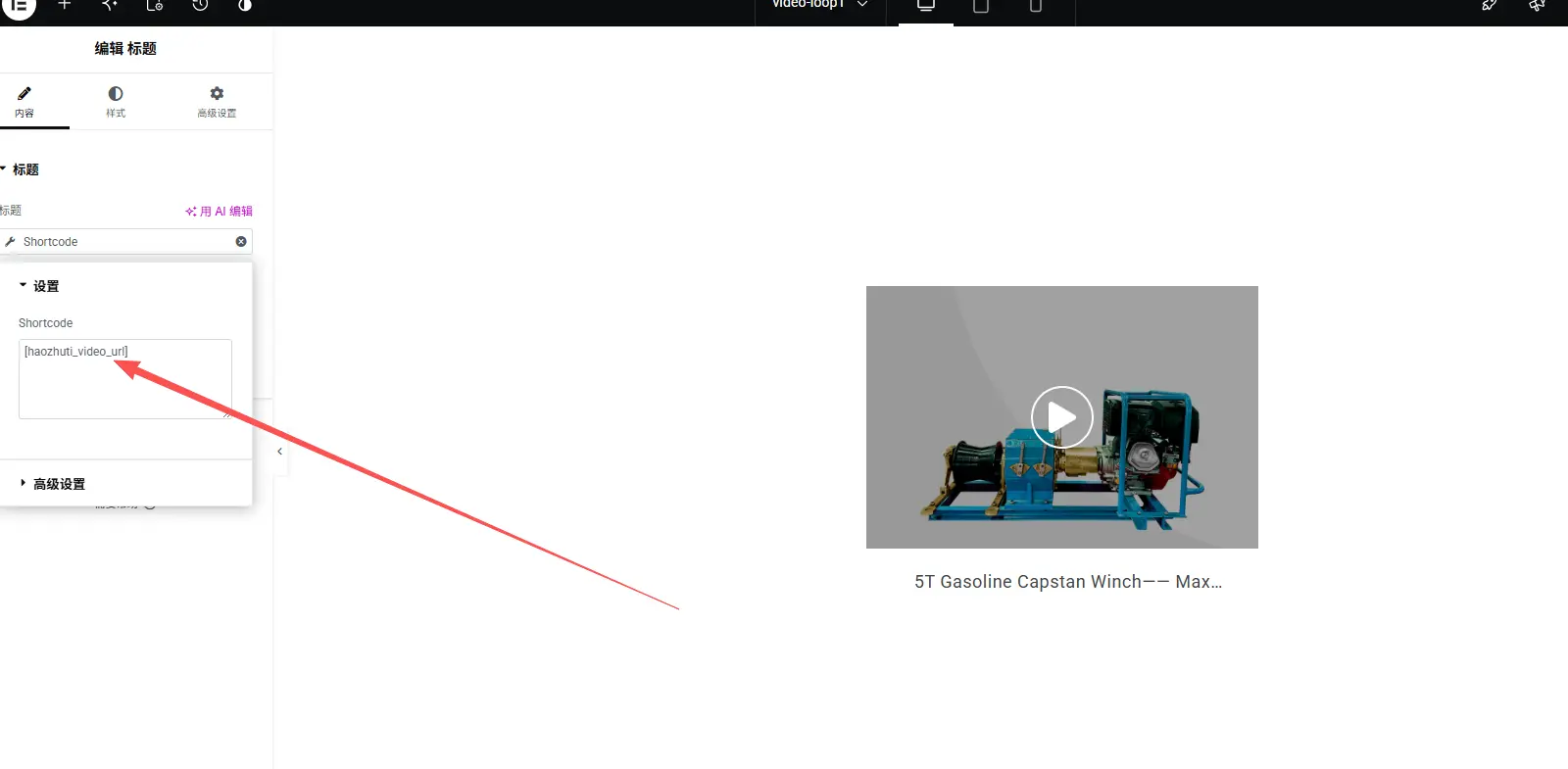
然后新增一个 Heading Widget。
设置:
HTML Tag:
div
CSS Class:
hzt-video-url
内容:
动态标签:
ACF -> video_url
最后将 Heading 设置为隐藏即可。
最终生成的 HTML 类似如下:
<div class="hzt-video-container">

    <img src="demo.jpg" alt="">

    <h3>Product Title</h3>

    <a class="hzt-video-trigger">
        ▶
    </a>

    <div class="hzt-video-url" style="display:none;">
        https://youtu.be/dQw4w9WgXcQ
    </div>

</div>
整个页面底部放置一个公共弹窗:
<div class="hzt-video-modal">
<div class="hzt-video-wrapper">
<span class="hzt-video-close">×</span>
<div class="hzt-video-content"></div>
</div>
</div>
.hzt-video-modal{
    display:none;
    position:fixed;
    inset:0;
    background:rgba(0,0,0,.8);
    z-index:9999;
    align-items:center;
    justify-content:center;
}

.hzt-video-wrapper{
    position:relative;
    width:90%;
    max-width:900px;
}

.hzt-video-content iframe{
    width:100%;
    aspect-ratio:16 / 9;
    border:0;
}

.hzt-video-close{
    position:absolute;
    right:-15px;
    top:-15px;
    width:36px;
    height:36px;
    border-radius:50%;
    background:#fff;
    text-align:center;
    line-height:36px;
    cursor:pointer;
    font-size:20px;
}
jQuery(function ($) {

    function getYoutubeEmbed(url) {

        if (!url) return '';

        let id = '';

        if (url.indexOf('youtu.be/') !== -1) {
            id = url.split('youtu.be/').split('?');
        } else if (url.indexOf('watch?v=') !== -1) {
            id = url.split('watch?v=').split('&');
        }

        return id
            ? 'https://www.youtube.com/embed/' + id + '?autoplay=1&rel=0'
            : '';
    }

    $(document).on('click', '.hzt-video-trigger', function (e) {

        e.preventDefault();

        const container = $(this).closest('.hzt-video-container');

        const url = $.trim(
            container.find('.hzt-video-url').text()
        );

        if (!url) {
            return;
        }

        const embed = getYoutubeEmbed(url);

        if (!embed) {
            return;
        }

        $('.hzt-video-content').html(
            '<iframe src="' + embed + '" allow="autoplay; encrypted-media" allowfullscreen></iframe>'
        );

        $('.hzt-video-modal').css('display', 'flex');

    });

    function closeVideo() {

        $('.hzt-video-content').empty();

        $('.hzt-video-modal').hide();

    }

    $(document).on('click', '.hzt-video-close', function () {

        closeVideo();

    });

    $(document).on('click', '.hzt-video-modal', function (e) {

        if (e.target === this) {

            closeVideo();

        }

    });

});
相比 Elementor Popup,这种方式具有以下优点:
由于 Elementor 目前无法直接将 ACF 动态字段输出到 Container 的 data-* 属性,因此本文采用 Heading(输出为 div)作为数据中转 的方式,再配合 JavaScript 读取视频地址,实现 YouTube 视频弹窗。
整个方案结构简单、维护方便,非常适合企业官网中产品、案例、解决方案等 Loop Item 的视频展示需求。后续如果所有主题都采用相同的类名规范,只需要维护一份 JavaScript,即可在不同项目中重复使用,大大提高开发效率。
本文由 好主题 原创整理,致力于分享实用的 WordPress 建站知识与主题开发经验。 我们专注于提供高质量的 WordPress企业主题 资源,帮助中小企业轻松构建专业网站。 转载请注明来源,并保留原文链接,感谢您的支持与理解。
联系我们
教程看不懂?联系我们免费为您解答!免费助力个人,小企站点!




成为会员,获得更多专属优惠!
登录您的账户,享受会员专属服务